
“Sconfig” stands for “Server Configuration”, and it is a command-line utility in Windows Server operating systems. It is used to perform basic configuration tasks on a Windows Server machine. Sconfig is particularly useful for administrators who want to perform common tasks quickly without having to use a graphical user interface.
To use the Sconfig utility, we can follow these steps:
Open Our Favourit Windows Terminal
Open a Command Prompt or PowerShell window with administrative privileges.
Type “sconfig”
After open terminal ,then type “sconfig” and press Enter.
sconfig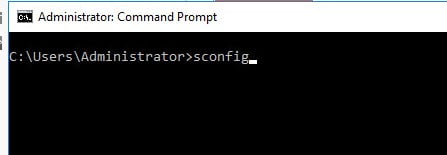
Config Wizard via CLI
We will be presented with a text-based menu that allows you to perform various configuration tasks, such as:
- Configure network settings.
- Change the computer name.
- Join or leave a domain.
- Install Windows Updates.
- Enable Remote Desktop.
- Configure date and time settings.
- Enable or disable Windows Firewall.
And more.

To select a task, we can use the arrow keys to navigate the menu and then press Enter to choose the desired option. Follow the prompts to complete the configuration.
After making your changes, exit the Sconfig utility.
Keep in mind that the specific options available may vary depending on the version of Windows Server you are using. Sconfig is a handy tool for quickly setting up or configuring essential aspects of a Windows Server without having to go through a full GUI-based configuration process.

